

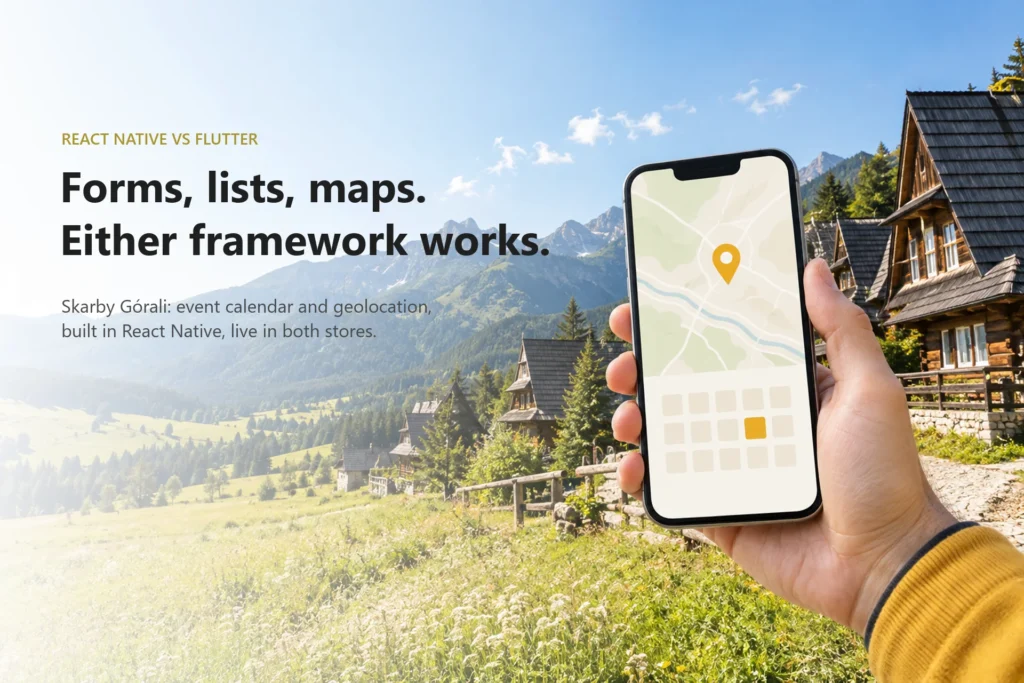
For most business apps, the React Native vs Flutter decision matters far less than the two vendors arguing about it suggest. If your app is mostly forms, lists, maps and push notifications, both frameworks will ship it to both stores without trouble. We usually choose React Native, and the main reason isn’t technical. JavaScript and TypeScript developers are much easier to find, so you can keep the app maintained after we hand it over. The framework only becomes the real decision when your app needs heavy graphics, serious background work, Bluetooth or unusual native modules.
The real question behind react native vs flutter
When two vendors give you opposite recommendations, they are usually answering different questions. One is asking which framework produces the smoothest animation in a benchmark. The other is asking which framework their own team knows best. Neither is asking the question that matters to you as the person paying for the app: who will be able to change this code two years from now, and how much will that cost?
Both frameworks solve the same core problem. Cross-platform app development lets one team write one codebase that runs on iOS and Android instead of building two native apps in parallel. The industry benchmark for that saving is roughly 30-40% compared with two separate native builds. We break down where that number holds and where it doesn’t in our article on how much it costs to build an app and whether cross-platform really saves money. You get that saving with either framework. It is not a reason to pick one over the other.
So the useful comparison is not “which is faster”, but where the two actually behave differently in delivery, and whether your app touches any of those places.
How the choice actually plays out in delivery
Where React Native and Flutter really differ
The technical difference is real, and it is easy to explain. React Native app development uses JavaScript or TypeScript and renders the platform’s own UI components. A button on iOS is an iOS button. Flutter app development uses Dart and draws every pixel itself with its own rendering engine. A Flutter button looks the same on both platforms because Flutter painted it.
That one difference explains most of the trade-offs you will hear about:
| Factor | React Native | Flutter |
|---|---|---|
| Language | JavaScript / TypeScript | Dart |
| UI rendering | Native platform components | Own rendering engine, same pixels on both platforms |
| Pixel-identical custom UI | Possible, takes more effort | Strong default |
| Platform look and feel | Default behaviour | Has to be reproduced |
| Hiring pool | Very wide (web and mobile developers) | Narrower, Dart is used mostly for Flutter |
| Sharing code or people with a web team | Natural if the web side runs on React | Limited |
| Access to device features | Through native modules | Through platform channels / plugins |
Notice what isn’t in the table: “can build a booking app”, “can show a map”, “can send push notifications”. Both can. For the typical app a founder commissions, both frameworks are mature, both have libraries for authentication, payments, maps and analytics, and both get published to the App Store and Google Play the usual way.
Where the framework actually decides the outcome
The choice starts to matter once your app leans hard on something the framework does not do natively:
- Heavy graphics and custom animation. If the product is basically a custom canvas (a drawing tool, a game-like interface, a heavily branded UI with complex motion), Flutter’s own rendering engine is an advantage.
- Background work. Long-running tasks, continuous location tracking, uploads that must finish when the app is closed. Here you are fighting operating system rules, not the framework, and you will write platform-specific code either way.
- Bluetooth and hardware. Medical devices, wearables, IoT sensors. The quality of the available native modules and your team’s ability to write their own decide the project.
- Specific native SDKs. A payment terminal, a vendor’s proprietary SDK, an AR library. Check whether a maintained wrapper exists for your framework before choosing it, not after.
If none of these describe your app, the framework will not decide whether the project succeeds. Scope, team and the quality of the backend will.
When cross-platform stops being the right answer
Sometimes the honest answer to “flutter vs react native” is “neither”. If the core value of your product sits in the device itself (constant sensor access, deep integration with platform features that appear first in native SDKs, performance-critical media processing), then most of your code will be platform-specific anyway. At that point a shared codebase is just a thin layer on top of two native apps, and you pay for the abstraction without getting much from it. Two native apps, or a native app on one platform first, can be the cheaper path.
The hiring pool and what the choice costs two years later
This is the factor we weigh most, and vendors rarely bring it up. An app is not done at launch. Operating systems update every year, store policies change, libraries get deprecated, and you will want new features. Our breakdown of mobile app development costs in Europe, including the ongoing maintenance budget covers what that upkeep usually costs.
Who does that work matters more than which framework it is written in. The hiring pool for JavaScript and TypeScript is very wide, because the same skills are used across web development. A React Native codebase can be picked up by a large number of agencies and freelancers, and by a web developer who is willing to learn the mobile side. Dart is used mostly for Flutter, so the pool of people who can maintain a Flutter app is narrower. It is not tiny, but you will have fewer options when you need someone quickly.
That is a maintainability argument, not a framework argument. We would rather leave a client with code that many teams can work on than with code that only we, or a few specialists, can maintain comfortably.
Example from our practice: Skarby Górali and Questy
Skarby Górali is a mobile app we built for Fundacja Mapa Pasji. It brings highlander culture to users through an event calendar and geolocation, so people can find events and places near them. The app is built with React Native and is live on both the App Store and Google Play.
Why React Native? Not because Flutter couldn’t have built it. An event calendar, content screens and location-based discovery are exactly the forms-lists-maps territory where either framework works. We chose React Native because it kept the codebase in a language a wide range of developers can maintain, which gives the client real freedom later. If they ever want to bring development in-house or move to another vendor, they will not be stuck searching for a rare skill set.
The same client came back to us later with a second product, Questy, and that one is also built on React Native. Keeping the same stack across both apps means shared knowledge, familiar tooling and one hiring profile instead of two.
Questy also shows where the real engineering trade-offs live. Location is central to the product, and the hard question was never “React Native or Flutter”. It was how to balance GPS accuracy against battery drain: how often to request a position, how precise it has to be at each moment, and when to let the device rest. Those decisions sit at the level of operating system location services and product behaviour. Any framework would have faced the same trade-off, and the answer would have been the same.
What to watch out for
- Benchmarks as a selling point. Rendering speed comparisons rarely reflect what an app with forms, lists and a map actually feels like. Ask the vendor which screen in your app would be noticeably different.
- The vendor’s comfort zone presented as a recommendation. A team that only builds in one framework will always recommend it. That’s fine, as long as they are open about it. Ask what they would choose if they weren’t the ones maintaining the app.
- Unchecked native modules. If your app needs Bluetooth, a specific SDK or long background tasks, ask for the exact library or approach before signing. “There is a plugin for that” is not an answer until someone has checked that it is maintained.
- Ignoring who maintains it after launch. Ask yourself: if this vendor disappeared tomorrow, how hard would it be to hire someone to continue? The answer is usually more important than any framework feature.
- Assuming cross-platform means half the work. One codebase doesn’t mean one test pass. You still test on both platforms, and platform-specific features still need platform-specific effort.
- Mixing stacks across products without a reason. If you already have one app on a framework, a second app on a different one doubles the skills you need to keep around.
Conclusion
React Native vs Flutter is a real choice only when your app relies on heavy graphics, long-running background work, Bluetooth or specific native modules. For the majority of apps, both will do the job, and the deciding factor is how easy it will be to find people who can keep the app alive after launch. That is why we usually default to React Native: a wide hiring pool and a maintainable codebase protect your investment better than a benchmark win. If you are weighing conflicting recommendations, look at our approach to product development. We start with what your app has to do and who will maintain it, then pick the tool.